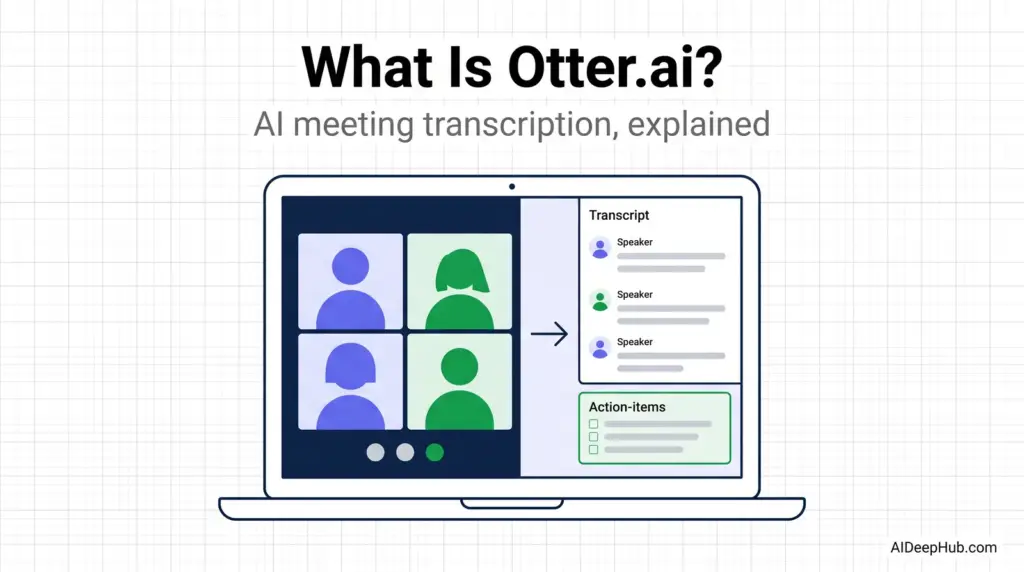
- Otter.ai is an AI notetaker. It joins your Zoom, Teams or Google Meet call, transcribes it live, identifies speakers, and produces a summary with action items.
- The free plan is real: 300 transcription minutes a month, capped at 30 minutes per conversation, plus 3 lifetime file uploads.
- The 30-minute cap is the catch. Free users lose the back half of any hour-long meeting, which is usually where the decisions are.
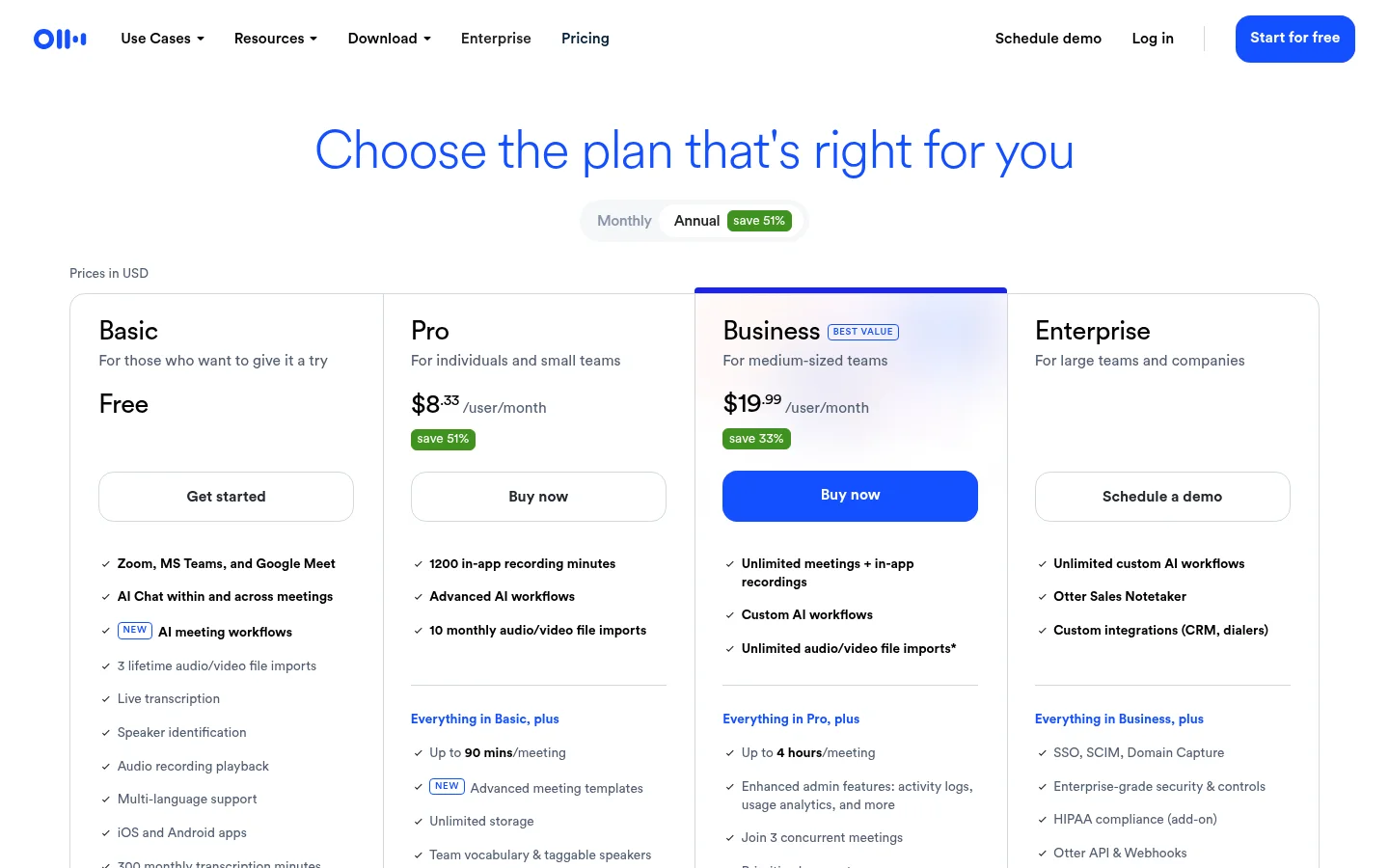
- Pricing (Aug 2026): Pro from about $8.33/user/month billed annually (~$16.99 monthly); Business from about $20/user/month annually (~$30 monthly).
- Weak spot: messy multi-speaker rooms. In-person meetings with overlapping talk are where users complain most.
Otter.ai is an AI meeting assistant that records, transcribes and summarises conversations in real time. You connect your calendar, its bot joins your video calls automatically, and by the time the meeting ends you have a searchable transcript, speaker labels, an AI summary and a list of action items — without anyone taking notes.
It is one of the longest-running tools in the category and still one of the few with a genuinely usable free plan. Here is exactly what it does, what it costs, where it falls down, and when a competitor is the better buy. Part of our AI productivity tools hub.
What Otter.ai actually does
Five things, in the order you encounter them:
- Joins the meeting. Connect Google or Microsoft calendar and Otter’s assistant auto-joins scheduled Zoom, Microsoft Teams and Google Meet calls. You can also record in-person conversations from the phone app or the browser.
- Transcribes live. Text appears as people speak, with word highlighting during playback so you can jump to any moment in the audio.
- Identifies speakers. Train it once on a voice and it tags that person automatically in future meetings.
- Summarises. After the call you get an outline, a summary, and extracted action items rather than a wall of raw text.
- Answers questions about the meeting. Otter AI Chat lets you ask “what did we decide about the launch date” and get an answer pulled from the transcript.
Transcription and summaries support English, French and Spanish. Everything is searchable across your whole account, which is the underrated benefit — six months of meetings become a queryable archive.
Otter.ai pricing in 2026
| Plan | Price (annual) | Price (monthly) | Key limits |
|---|---|---|---|
| Basic | Free | Free | 300 min/month · 30 min per conversation · 3 lifetime file imports |
| Pro | ~$8.33/user/mo | ~$16.99/user/mo | 1,200 in-app recording minutes/mo · up to 90 min per meeting · 10 monthly file imports |
| Business | ~$20/user/mo | ~$30/user/mo | Unlimited meetings + in-app recordings · up to 4 hours per meeting · admin analytics, priority support |
| Enterprise | Custom | SSO, advanced security, custom integrations | |
Rates as published August 2026. Otter discounts heavily and runs regional pricing, so your checkout price may differ.
Is the free plan actually usable?
Yes, with one caveat that decides it for most people.
300 minutes a month is five hours of meetings — genuinely enough for a freelancer or a student. Speaker identification, AI summaries, AI Chat and the Zoom/Teams/Meet integrations are all included, which is more than most free tiers in this category offer.
The problem is the 30-minute-per-conversation cap. A standard one-hour meeting gets cut in half, and the transcript stops precisely where the wrap-up, decisions and next steps happen. If your meetings are 25-minute stand-ups, the free plan is excellent. If they are hour-long client calls, the free plan will quietly fail you in the way that matters most.
The 3-lifetime-file-import limit is also worth knowing: uploading existing recordings is essentially not a free-plan feature.
Where Otter.ai falls down
Being direct about this, because it is the most common source of buyer regret:
- Crowded multi-speaker audio. Otter is strong on clean one-to-one and small-group video calls. In-person meetings with several people talking over each other, poor room mics, or heavy accents produce noticeably messier transcripts, and this is the most frequent complaint from long-term users. If your primary use case is a conference room rather than a video call, test it on a real meeting before committing.
- The bot is visible. Otter joins as a participant, and everyone sees it. In sales calls, interviews or sensitive conversations that changes the room. Bot-free alternatives exist specifically because of this.
- Language coverage is narrow. English, French and Spanish. If your meetings are in another language, this is a hard stop.
- Summaries flatten nuance. Action-item extraction is good; capturing why a decision was made is still something you should note yourself.
Otter.ai vs the alternatives
| If you want… | Consider | Why |
|---|---|---|
| The most generous free plan | Fathom | Unlimited basic recording on free, no per-meeting cap |
| CRM integration and team analytics | Fireflies | Built for sales and revenue teams, with topic tracking across every call |
| No bot in the meeting | Granola | Enhances your own notes from device audio instead of joining |
| Live captions during the call | Otter | Real-time captioning is one of its genuine strengths |
For the full landscape, see our best AI meeting assistants roundup, and our detailed Otter.ai review for the hands-on verdict.
Is Otter.ai safe to use at work?
Two separate questions here, and people usually only ask the first.
Technically: Otter uses TLS in transit and AES-256 encryption for real-time content, offers two-factor authentication, and provides admin controls and SSO on higher tiers. That is standard for the category.
Legally and socially: recording consent rules vary by jurisdiction, and several US states require all-party consent. Because Otter’s bot is a visible participant it effectively announces itself, which helps — but announcing is not the same as obtaining consent. Say at the start of the call that it is being recorded and transcribed. For interviews, HR conversations, or anything involving customer data, check your organisation’s policy first.
Who should use Otter.ai — and who shouldn’t
Use it if you run back-to-back video calls, need searchable records of what was said, want live captions for accessibility, or are a student recording lectures. The free plan is a legitimate way to find out, at zero cost, whether the habit sticks.
Skip it if most of your meetings are in-person with several speakers, if a visible bot would change the conversation, if you work primarily in a language other than English, French or Spanish, or if you need a genuinely unlimited free tier — Fathom is more generous there.
Bottom line
Otter.ai is the most accessible on-ramp to AI meeting notes: the free plan is real, the setup takes five minutes, and the searchable archive becomes more valuable the longer you use it. Its ceiling is audio quality — clean video calls are its home turf, messy rooms are not. Start on Basic, run it across two weeks of real meetings, and let the 30-minute cap tell you whether you need Pro.
More in the AI productivity tools hub, or compare note-taking apps in our best AI note taking apps guide.
FAQ
What is Otter.ai used for? Recording, transcribing and summarising meetings. It joins Zoom, Microsoft Teams and Google Meet calls automatically, produces a live transcript with speaker labels, and generates a summary with action items afterwards.
Is Otter.ai free? Yes. The Basic plan includes 300 transcription minutes a month, a 30-minute limit per conversation, and 3 lifetime file imports, along with AI summaries, speaker identification and AI Chat.
How much does Otter.ai cost? As of August 2026, Pro is roughly $8.33 per user per month billed annually (about $16.99 monthly) and Business roughly $20 per user per month annually (about $30 monthly). Enterprise pricing is custom.
How accurate is Otter.ai? Accuracy is strong on clear single-speaker and small-group video calls, and noticeably weaker on crowded in-person meetings with overlapping speech, poor microphones or strong accents. Test it on a real meeting before relying on it.
Does Otter.ai join meetings automatically? Yes, once you connect your Google or Microsoft calendar it joins scheduled Zoom, Teams and Google Meet calls as a visible participant.
What languages does Otter.ai support? Transcription and summaries are available in English, French and Spanish.
Is Otter.ai better than Fireflies? Otter is stronger on live captioning and has a more approachable free plan. Fireflies is stronger on CRM integrations and team conversation analytics, which makes it the better fit for sales teams.