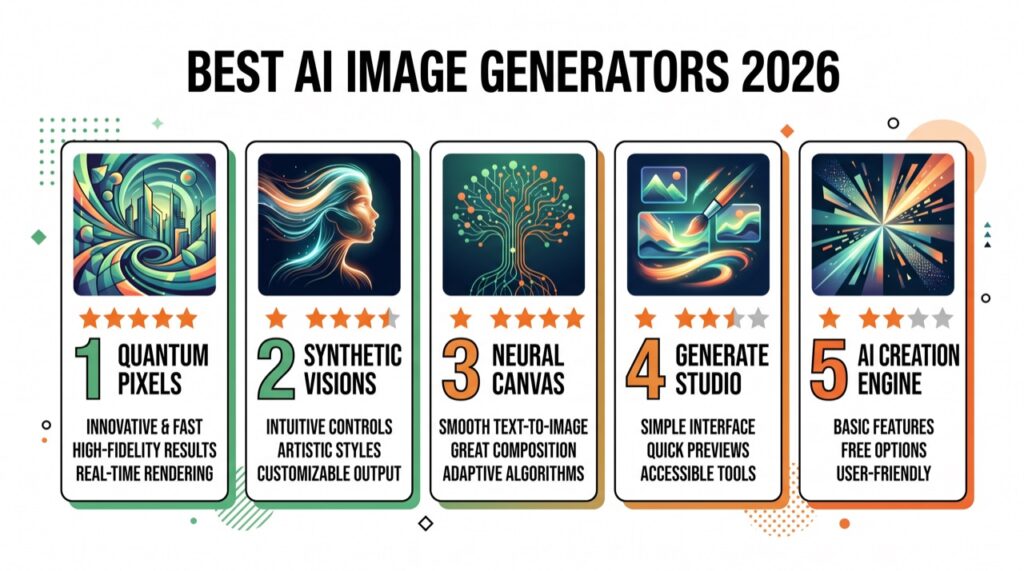
- Best quality: Midjourney · Easiest: Canva AI · Commercial-safe: Adobe Firefly · Free & flexible: Stable Diffusion.
- Text in images: Ideogram · Free & easy: DALL·E 3 (Bing) · Vectors: Recraft.
- There’s no single winner — pick by whether you want art quality, ease, licensing safety, or control. Most creators use two.
AI image generators have gone from novelty to essential in two years, and the gap between the top tools is now small enough that the right choice depends entirely on what you’re making — gallery-grade art, marketing assets, product mockups, logos, or commercially safe visuals for a client. This guide ranks the 10 best AI image generators in 2026, explains what each is genuinely best at, and gives you a clear framework (plus prompting tips and licensing notes) to pick the right one.
Short on time? Midjourney makes the most beautiful images, Canva AI and DALL·E 3 are the easiest and free-friendly, Adobe Firefly is the safest for business, and Stable Diffusion gives you unlimited free control if you don’t mind a learning curve.
The best AI image generators compared
| Tool | Best for | Quality | Price (approx.) | Free? |
|---|---|---|---|---|
| Midjourney | Artistic quality | ⭐⭐⭐⭐⭐ | from ~$10/mo | No |
| DALL·E 3 | Ease + prompt accuracy | ⭐⭐⭐⭐ | Free (Bing) / Plus | Yes |
| Adobe Firefly | Commercial-safe + design | ⭐⭐⭐⭐ | Free tier / Creative Cloud | Yes |
| Stable Diffusion | Free, open, full control | ⭐⭐⭐⭐ | Free (self-host) | Yes |
| Google Imagen (Gemini) | Free, fast, photoreal | ⭐⭐⭐⭐ | Free / paid | Yes |
| Leonardo AI | Game/asset creators | ⭐⭐⭐⭐ | Free / ~$12/mo | Yes |
| Ideogram | Text inside images | ⭐⭐⭐⭐ | Free / ~$8/mo | Yes |
| Canva AI | Non-designers | ⭐⭐⭐ | Free / Pro ~$15/mo | Yes |
| Recraft | Vectors & brand design | ⭐⭐⭐⭐ | Free / paid | Yes |
| Flux | Photoreal open model | ⭐⭐⭐⭐ | Free / via hosts | Yes |
1. Midjourney — best overall image quality
Midjourney remains the benchmark for beautiful, coherent, artistic images. Its aesthetic sense — lighting, composition, mood — is still a notch above the rest, and its newer versions have closed the gap on prompt accuracy and text. It runs through a polished web app with tools for variations, upscaling, and style references.
Best for: artists, designers, and anyone who wants the most striking result. Standout: unmatched aesthetic quality. Weakness: no real free plan; commercial rights require a paid tier. Price: from ~$10/mo. Visit Midjourney →
2. DALL·E 3 — best for ease and free access
DALL·E 3 is built into ChatGPT and Microsoft Bing/Copilot, which makes it the easiest way to generate images for free. It follows detailed, conversational prompts better than almost anything else — describe a scene in plain English and it nails the details. Quality trails Midjourney on fine-art shots, but for accessibility it’s unbeaten.
Best for: beginners and anyone who wants free, accurate results. Standout: prompt accuracy + zero cost via Bing. Weakness: less artistic flair than Midjourney.
3. Adobe Firefly — best commercial-safe option
Firefly is trained on licensed Adobe Stock and public-domain content, which makes it the safest choice when usage rights matter — exactly what agencies and businesses need. It’s built directly into Photoshop (Generative Fill) and the Creative Cloud apps, so it fits into a real design workflow rather than sitting in a separate tab.
Best for: businesses, agencies, and Adobe users. Standout: commercially safe + Photoshop integration. Price: free tier; included with Creative Cloud. Visit Firefly →
4. Stable Diffusion — best free and most flexible
Open-source and free to run on your own machine or a cheap cloud host, Stable Diffusion offers control nothing else matches: custom models, LoRAs, ControlNet for precise composition, and unlimited generations at no cost. The trade-off is a real learning curve and the need for a decent GPU (or a hosted service).
Best for: tinkerers, developers, and high-volume users. Standout: total control, unlimited free use. Weakness: setup and learning curve.
5. Google Imagen (in Gemini) — best free photoreal
Google’s Imagen models, available through Gemini, produce fast, clean, often photorealistic images and are free to try with a Google account. A strong, low-friction option if you already use Gemini or Google Workspace.
Best for: quick, realistic images for free. Standout: speed + photorealism at no cost.
6. Leonardo AI — best for game and asset creators
Built on Stable Diffusion with a friendlier interface, Leonardo offers fine-tuned models for game art, characters, icons, and consistent asset sets, plus a generous free tier. A favorite of indie game developers and 3D artists.
Best for: game assets and consistent character art. Standout: purpose-built models + free credits.
7. Ideogram — best for text inside images
Rendering readable text — logos, posters, quote graphics, product labels — is where most generators still fail. Ideogram is the clear leader here, making it the go-to for typographic and marketing visuals.
Best for: anything with words in the image. Standout: accurate in-image text.
8. Canva AI — best for non-designers
Canva’s Magic Media generates images right inside its editor, so you can drop them straight into social posts, slides, and marketing templates without switching tools. Quality is a step below the specialists, but the convenience for non-designers is unmatched. See Canva alternatives.
Best for: marketers and non-designers who want images inside a design tool.
9. Recraft — best for vectors and brand design
Recraft can generate editable vector graphics and hold a consistent brand style across a set of images — ideal for icon sets, illustrations, and design systems that need to stay on-brand.
Best for: designers who need vectors and brand consistency.
10. Flux — best new photoreal open model
Flux (by Black Forest Labs) has quickly become a favorite open model for photorealistic images and strong prompt adherence, available through various hosted services and self-hosting. A great free-leaning alternative to the closed tools.
Best for: photorealism without a subscription.
Best AI image generator by use case
- Social media graphics: Canva AI (fastest into a post) or DALL·E 3 (free).
- Marketing & ads (commercial): Adobe Firefly (licensed, safe).
- Logos & text graphics: Ideogram.
- Fine art & concept art: Midjourney.
- Game & character assets: Leonardo AI.
- Product mockups & photoreal: Google Imagen or Flux.
- Total control / high volume / free: Stable Diffusion.
- Vectors & brand kits: Recraft.
How to choose the right AI image generator
Work through four questions in order:
- What are you making? Art, marketing assets, logos, or product shots each favor a different tool (see the use-case list above).
- Do you need commercial rights? If images go into ads or client work, prioritize Adobe Firefly or check each tool’s license carefully.
- What’s your budget? DALL·E 3 (Bing), Google Imagen, and Stable Diffusion are effectively free; Midjourney and premium tiers cost $10–$60/mo.
- How much control do you want? Stable Diffusion for maximum control, Canva AI for maximum simplicity, the rest in between.
Almost every tool offers a free tier or trial — generate the same prompt in two or three and compare before committing.
AI image prompting tips (get better results from any tool)
- Be specific about subject, style, and setting: “a golden retriever puppy, watercolor style, soft morning light, pastel background.”
- Name a medium or artist-style adjective (oil painting, 3D render, flat illustration) to steer the look.
- Specify composition: close-up, wide shot, top-down, centered, rule of thirds.
- Add lighting and mood: cinematic lighting, soft shadows, vibrant, moody.
- Iterate: generate, keep what works, and refine the prompt — don’t expect a perfect result on the first try.
- For text in images, use Ideogram and keep the words short.
Can you use AI-generated images commercially?
Often yes, but the rules vary by tool and plan, and they change. Adobe Firefly is explicitly designed for commercial use (trained on licensed data). Midjourney grants commercial rights on paid plans. Stable Diffusion and Flux are permissively licensed but check the specific model. Free tiers sometimes restrict commercial use or add watermarks. Before you sell an AI image or put it in an ad, read the current license for the exact tool and plan you’re on.
Bottom line
There is no single “best” AI image generator — there’s a best one for your job. Choose Midjourney for quality, Canva AI or DALL·E 3 for ease and free access, Adobe Firefly for commercial safety, and Stable Diffusion for free, unlimited control. Most creators settle on two: a quality generator for hero visuals and an easy one for everyday graphics. Explore the full AI image tools hub for individual reviews.
FAQ
What is the best AI image generator? Midjourney for quality, Canva AI for ease, and Adobe Firefly for commercial-safe images. The best one depends on what you’re making.
What’s the best free AI image generator? DALL·E 3 via Bing/Copilot, Google Imagen in Gemini, and self-hosted Stable Diffusion are the strongest free options.
Can I sell AI-generated images commercially? Often yes, but rights vary by tool and plan — Adobe Firefly is the safest for commercial use. Always check the current license.
Which AI generator handles text in images best? Ideogram, followed by the newest Midjourney and DALL·E versions. Keep text short for best results.
Is Midjourney worth it? If image quality matters most, yes — it still leads on artistic results, though it lacks a free plan.
Do I need design skills to use these tools? No — Canva AI and DALL·E 3 are beginner-friendly. Stable Diffusion is the only one with a real learning curve.
What’s the best AI image generator for marketing? Adobe Firefly (commercial-safe) for ads and Canva AI for quick social graphics.
Are AI image generators safe to use? Yes, but avoid uploading sensitive images, respect people’s likeness rights, and follow each tool’s content and licensing policies.
🧰 More: AI Image hub · Canva alternatives · All AI Tools