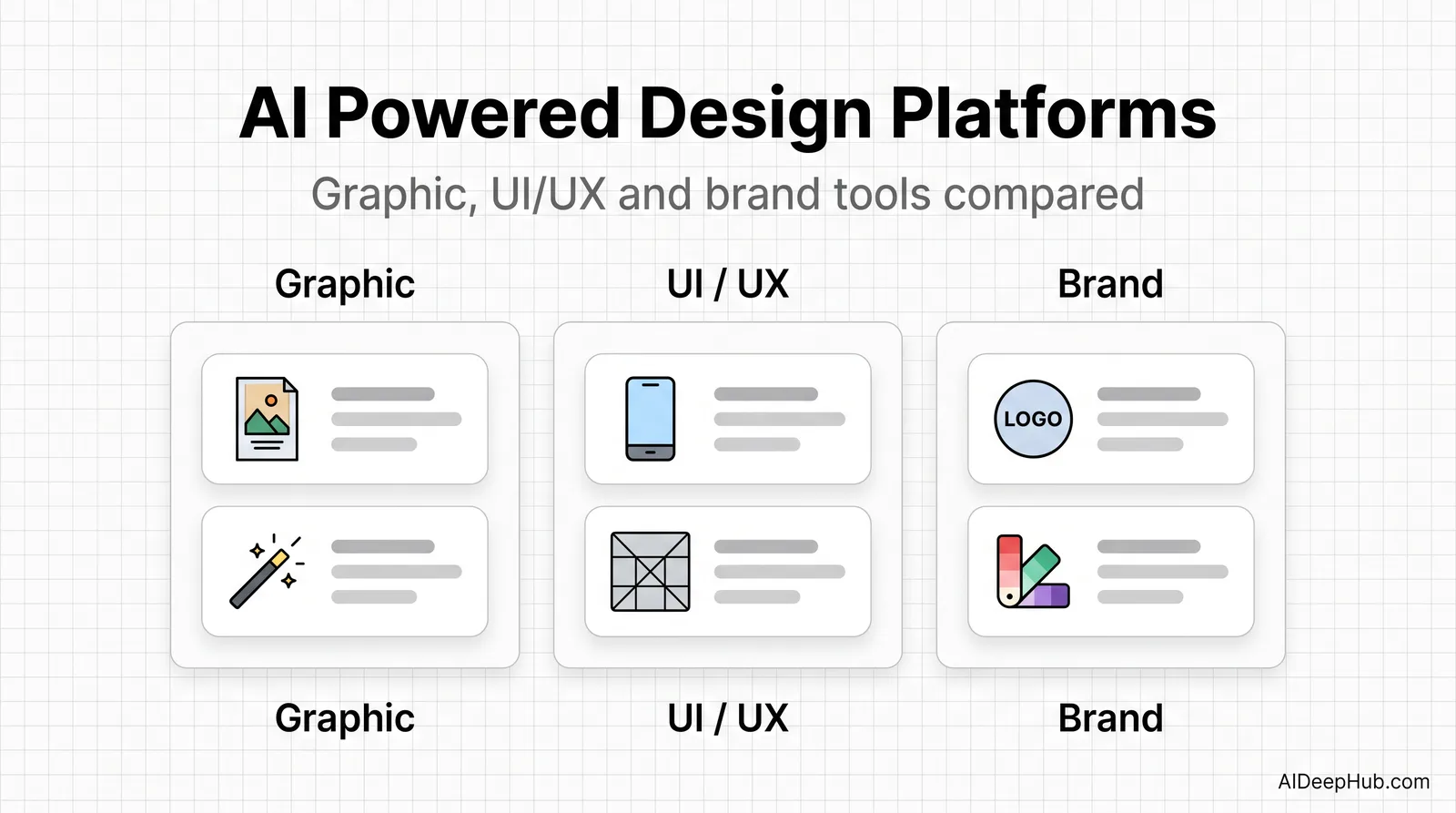
- There is no single “AI design platform”. The category splits three ways — graphic/marketing, UI/UX product design, and brand identity — and the leaders barely overlap.
- Graphic and marketing: Canva for speed, Adobe Firefly for commercial-safe output, Ideogram when the image contains readable text.
- UI/UX: Figma AI if your team already lives in Figma; Uizard for wireframe-to-mockup.
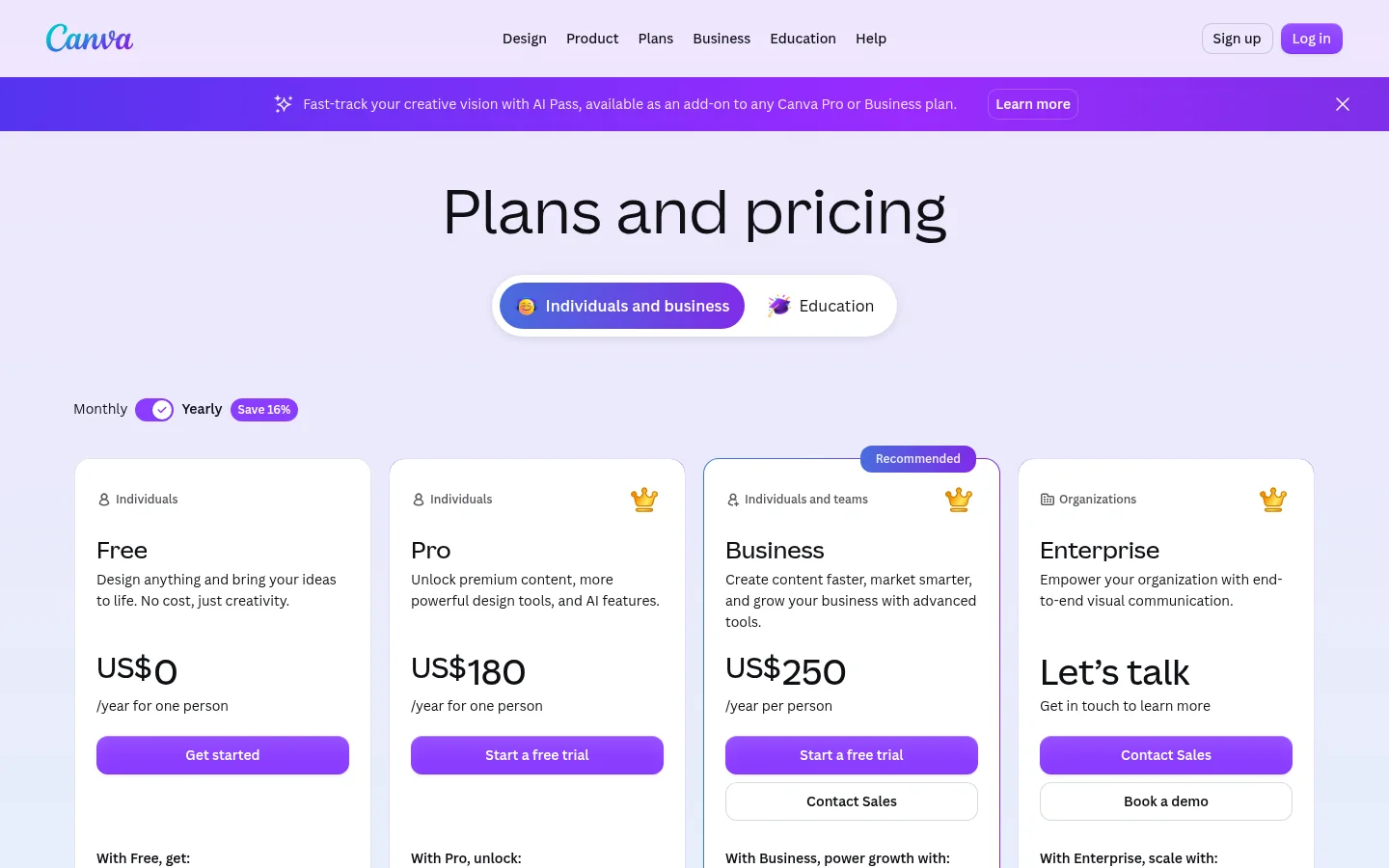
- Watch the AI add-on. Canva now sells an AI Pass on top of Pro and Business — the subscription price is not the AI price.
- Free tiers are real here, and good enough to decide with before paying anything.
An AI-powered design platform generates and edits visual work from text prompts — graphics, layouts, UI screens, logos and brand assets — instead of asking you to draw them. In 2026 the useful question is not “which is best” but “best at which of the three jobs”, because the tools that lead each one are different products.
Below: the leaders in each lane, what each really costs, and the add-on pricing that catches buyers out. Part of our AI image tools hub.
The three lanes, and who leads each
| Job | Leader | Also strong | Entry price (Aug 2026) |
|---|---|---|---|
| Graphic & marketing design | Canva | Adobe Firefly, Ideogram, Kittl | Free; Pro $180/year |
| UI / UX & product design | Figma AI | Uizard, v0, Lovable | Free tier available |
| Brand identity & logos | Looka | Designs.ai, Canva | Pay-per-logo or subscription |
1. Canva — the default for graphic and marketing design
Canva is where most people should start, because the AI sits inside a design app rather than beside one: Magic Design generates a full layout from a prompt, Magic Edit and the background remover handle image work, and everything lands in a brand kit you can reuse.
Real pricing: the free plan is genuinely usable. Pro is US$180/year for one person and Business US$250/year per person, as of August 2026.
The detail to catch: Canva now markets an AI Pass as a separate add-on to Pro or Business plans. That means the plan price and the AI-capacity price are two different numbers, and heavy generative use is not covered by the subscription alone. Budget for the add-on if AI generation is the reason you are buying. See our Canva alternatives if that changes the maths for you.
Who should skip it: product designers. Canva has no component system, no interactive prototyping and no developer handoff.
2. Adobe Firefly — when the output has to be commercially safe
Firefly’s differentiator is not raw quality, it is provenance: Adobe trains on licensed material and offers commercial-use terms, which is exactly why agencies and in-house teams with legal review pick it. It also plugs directly into Photoshop and Illustrator, so generation and finishing happen in one place.
Who should skip it: hobbyists and anyone not already paying Adobe. You are buying legal comfort and ecosystem integration; if neither applies, cheaper tools produce comparable images.
3. Ideogram — the one that gets text right
Every image model struggles with legible text except this one. If your design contains a headline, a price, a label or a logo lockup, Ideogram is the tool — reported text accuracy sits far above Midjourney’s, which is the single most useful specialisation in the category.
Best for: posters, social ads, packaging mockups, app store screenshots.
Who should skip it: anyone doing photoreal product imagery — that is a different model’s job. See best AI photo generators.
4. Figma AI — the UI/UX default
Figma’s AI generates layouts from natural language, organises files, and turns prompts into working web sections. Its advantage is not that the AI is better in isolation — it is that the output lands inside the file your team already reviews, comments on and ships from.
Who should skip it: solo marketers making social graphics. Figma is a product-design environment; the learning curve is not worth it for a Instagram post.
5. Uizard and the prompt-to-app tools
Uizard turns hand-drawn wireframes or a text description into an editable UI mockup — the fastest path from idea to something clickable. v0 and Lovable go further, generating working front-end code from a prompt, which suits founders validating a concept more than designers refining one.
Who should skip them: teams with an established design system. Generated screens ignore your components, and reconciling them costs more than designing from scratch.
6. Looka and Designs.ai — brand identity on a budget
Looka generates logo concepts and a matching brand kit from a few inputs about your business. Designs.ai spans logos, video, copy and social assets from one brief.
Both are the right call for a new small business that needs a serviceable identity this week for a few hundred dollars rather than a few thousand. Both are the wrong call if brand distinctiveness is a competitive asset — generated logos trend toward the same visual vocabulary, and you cannot always trademark them.
Which lane are you actually in?
- Social posts, ads, presentations, thumbnails: Canva. Add Ideogram when text must be readable.
- Client or agency work with legal review: Adobe Firefly.
- App or website screens: Figma AI, or Uizard if you are starting from a sketch.
- Validating a product idea fast: v0 or Lovable.
- A logo and brand kit for a new business: Looka.
- Editing photos rather than creating designs: a photo editor, not a design platform — see best AI photo editors.
Three things to check before you subscribe
1. Is the AI included, or an add-on? This changed across the category in 2026. Canva’s AI Pass is the clearest example: Pro is one price, AI capacity is another. Read what the subscription actually includes before comparing plans.
2. What are the commercial rights? Free tiers frequently restrict commercial use, and models differ in what they were trained on. If the output goes on a client deliverable, a product or a paid ad, read the licence — a five-minute check that prevents an expensive problem.
3. Does it export where you need it? Design tools are judged on their weakest export. A layout that looks perfect in-app but arrives broken as a PDF, PPTX or dev handoff has cost you more time than it saved.
What AI design still can’t do
It generates competent, on-trend, generic work. That is the honest summary. Layout, colour harmony and visual polish are largely solved; what is not solved is knowing which idea is worth executing, when to break the grid, and what a brand should feel like. Every tool here will give you something that looks professional and looks like everyone else’s.
The useful workflow is to let the platform handle production — variations, resizes, cleanup, first drafts — and keep the decisions. That is where the hours actually go anyway.
Bottom line
Canva is the right starting point for most people, with the AI Pass add-on budgeted separately if you generate a lot. Adobe Firefly if commercial safety matters, Ideogram whenever the image has text in it, and Figma AI if you design products rather than posts. Every one of them has a free tier good enough to decide with — use it before you pick a plan.
More in the AI image tools hub, or see AI design assistants for the assistant-style tools that sit alongside these platforms.
FAQ
What is the best AI powered design platform? Canva for graphic and marketing design, Figma AI for UI and product design, Adobe Firefly for commercially safe output, and Ideogram when the image needs readable text. There is no single winner because the three jobs need different tools.
Is there a free AI design platform? Yes. Canva, Figma and Ideogram all have genuine free tiers with limits on generations or features, and they are good enough to evaluate the tool before paying.
How much does Canva cost in 2026? Free for the basic plan, US$180 per year for Pro (one person) and US$250 per year per person for Business, as of August 2026. Canva also sells an AI Pass as a separate add-on to Pro and Business plans.
Can I use AI-generated designs commercially? It depends on the tool and tier. Adobe Firefly is built around commercial-use terms; many free tiers restrict commercial use. Check the licence before using output in ads, client work or products.
Which AI design tool is best for logos? Looka for a fast logo plus matching brand kit, and Designs.ai if you also need social and video assets. Neither replaces a designer when brand distinctiveness matters competitively.
Can AI design a website? Tools like Figma Make, v0 and Lovable generate working layouts and front-end code from prompts. They are strong for validating a concept and weak at fitting an existing design system.