ClickUp is an all-in-one productivity platform — tasks, docs, goals, dashboards, whiteboards — with AI woven throughout via ClickUp Brain. For teams and solopreneurs who want one tool to run everything, it’s one of the best-value picks in 2026.
The trade-off is complexity: ClickUp does so much that it has a real learning curve. If you want a lightweight to-do app, this isn’t it. If you want a system that scales with you, read on.
What is ClickUp?
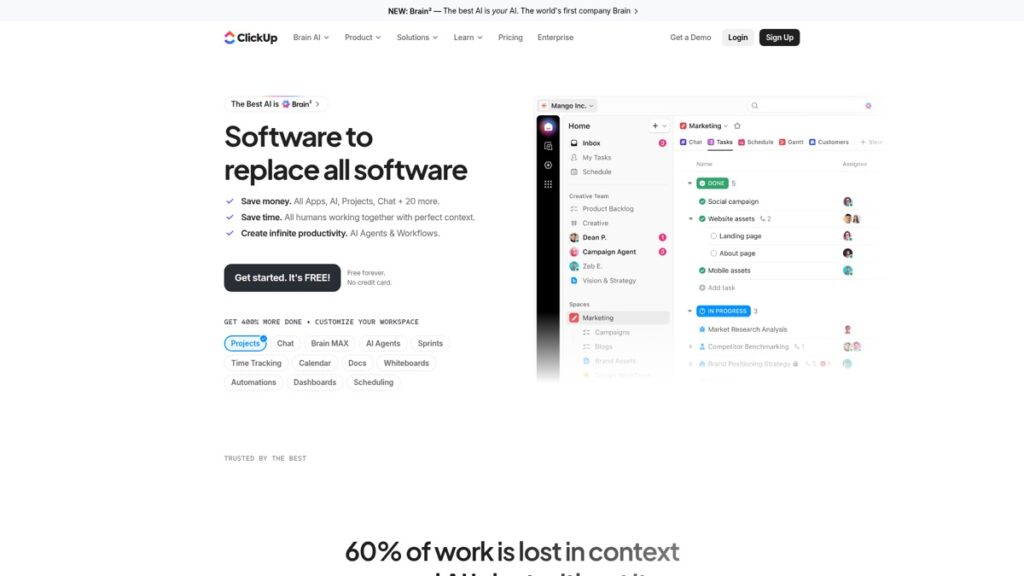
ClickUp is a work-management platform that replaces several tools at once: project management, docs, spreadsheets, goals, time tracking, and reporting. ClickUp Brain, its AI layer, can write and summarize content, generate and assign tasks, and answer questions about your workspace — turning the platform into an AI-powered command center for your work.
ClickUp’s key features
All-in-one workspace
Tasks, subtasks, docs, whiteboards, dashboards, and 15+ views (list, board, calendar, Gantt) mean most teams can drop several separate apps. Deep customization lets you shape it to almost any workflow.
ClickUp Brain (AI)
The AI add-on writes and summarizes docs, drafts and auto-assigns tasks, and answers natural-language questions about your projects. Because it lives inside your actual work data, it’s more useful than a bolt-on chatbot.
Automations & integrations
No-code automations handle repetitive steps, and 1,000+ integrations connect ClickUp to the rest of your stack.
ClickUp pricing (2026)
Confirm current pricing and AI add-on cost on ClickUp’s site.
| Plan | Price (approx.) | Best for |
|---|---|---|
| Free Forever | $0 | Individuals — surprisingly capable |
| Unlimited | ~$7/user/mo | Small teams |
| Business | ~$12/user/mo | Mid-size teams needing advanced features |
| ClickUp Brain (AI) | ~$5–$7/user/mo add-on | Adds AI across any plan |
Pros and cons
✅ Pros
- Enormous feature set — replaces multiple tools
- Generous free plan; low per-seat pricing
- AI (Brain) is integrated into real work data, not bolted on
- Highly customizable for almost any workflow
❌ Cons
- Steep learning curve; can feel overwhelming
- Can be sluggish with very large workspaces
- AI is a paid add-on on top of your plan
Who should use ClickUp (and who should skip)
Buy it if you want one platform to run projects, docs, and goals — with AI — and you’ll invest a little time to set it up. Skip it if you want a simple, lightweight task app.
Bottom line: is ClickUp worth it?
Yes, if you’ll use its depth. Few tools give you this much for the price, and ClickUp Brain makes the AI genuinely useful because it understands your work. Just budget setup time — the power comes with complexity. Pair it with an AI writing tool for content work.
FAQ
Is ClickUp free? Yes — the Free Forever plan is capable for individuals; AI (Brain) is a paid add-on.
Is ClickUp AI (Brain) worth it? If you already work in ClickUp, yes — it summarizes, drafts, and answers questions using your real project data.
Is ClickUp good for solopreneurs? Yes, if you want room to grow. For simple needs, it may be more than you need.
ClickUp vs Notion? ClickUp is stronger for project management and automations; Notion is stronger for flexible docs and knowledge bases.
