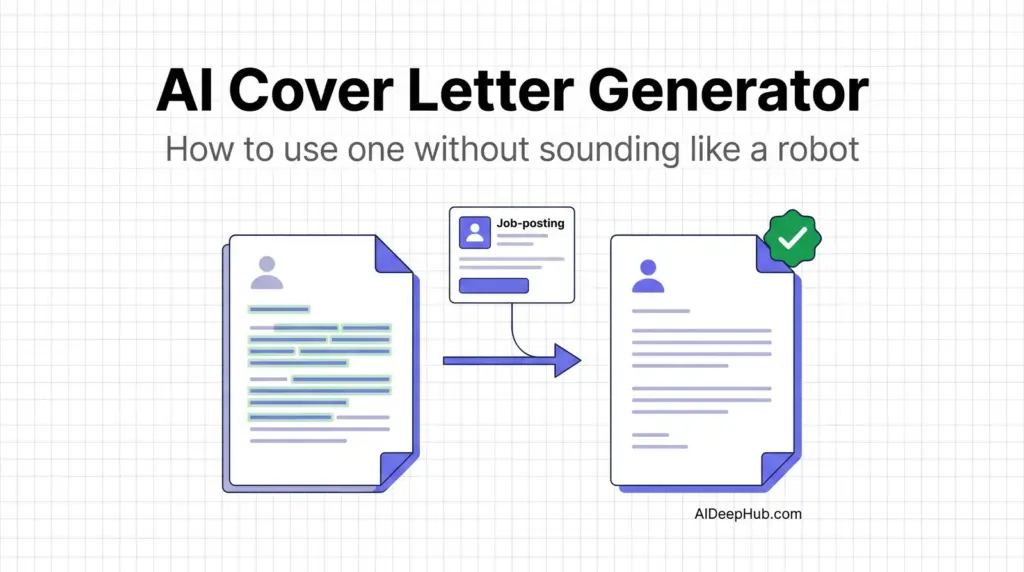
- An AI cover letter generator writes a first draft from your résumé plus the job description. The ones worth using read both. The ones that only read your résumé produce interchangeable letters.
- Generic beats nothing, but barely. A recognisably AI-generated letter reads worse to a hiring manager than a short honest one.
- Best all-in-one: Teal or Jobscan — letter, résumé and application tracker in one workspace.
- Best free route: ChatGPT or Claude with the job description pasted in. Costs nothing and often out-personalises the paid builders.
- Two real risks: invented achievements you didn’t earn, and trial subscriptions that quietly convert to recurring charges.
An AI cover letter generator turns your résumé and a job posting into a tailored draft in under a minute. Used properly it removes the blank-page problem and cuts a 40-minute task to about eight. Used lazily it produces the exact letter every other applicant submitted — which is worse than sending nothing.
This guide covers what these tools actually do, which ones are worth paying for in 2026, the edits that make an AI draft sound like you, and the billing trap to watch. Part of our AI productivity tools hub.
What an AI cover letter generator actually does
Three inputs go in — your work history, the job description, and a tone preference — and a structured letter comes out: a hook, two or three paragraphs mapping your experience to the posting’s requirements, and a close.
The useful ones do three additional things:
- Pull keywords from the posting so the letter echoes the language the employer used.
- Ground claims in your résumé rather than inventing generic strengths.
- Let you set tone and length — a startup letter and a Fortune 500 letter should not sound the same.
What none of them do is know why you want this specific job. That sentence has to come from you, and it is usually the sentence that gets the interview.
The best AI cover letter generators in 2026
| Tool | Best for | Reads the job posting? | Price (Aug 2026) |
|---|---|---|---|
| Teal | Running many applications at once | Yes | Free tier; letters on paid plan |
| Jobscan | ATS keyword matching | Yes | Free scans; paid from ~$20/mo |
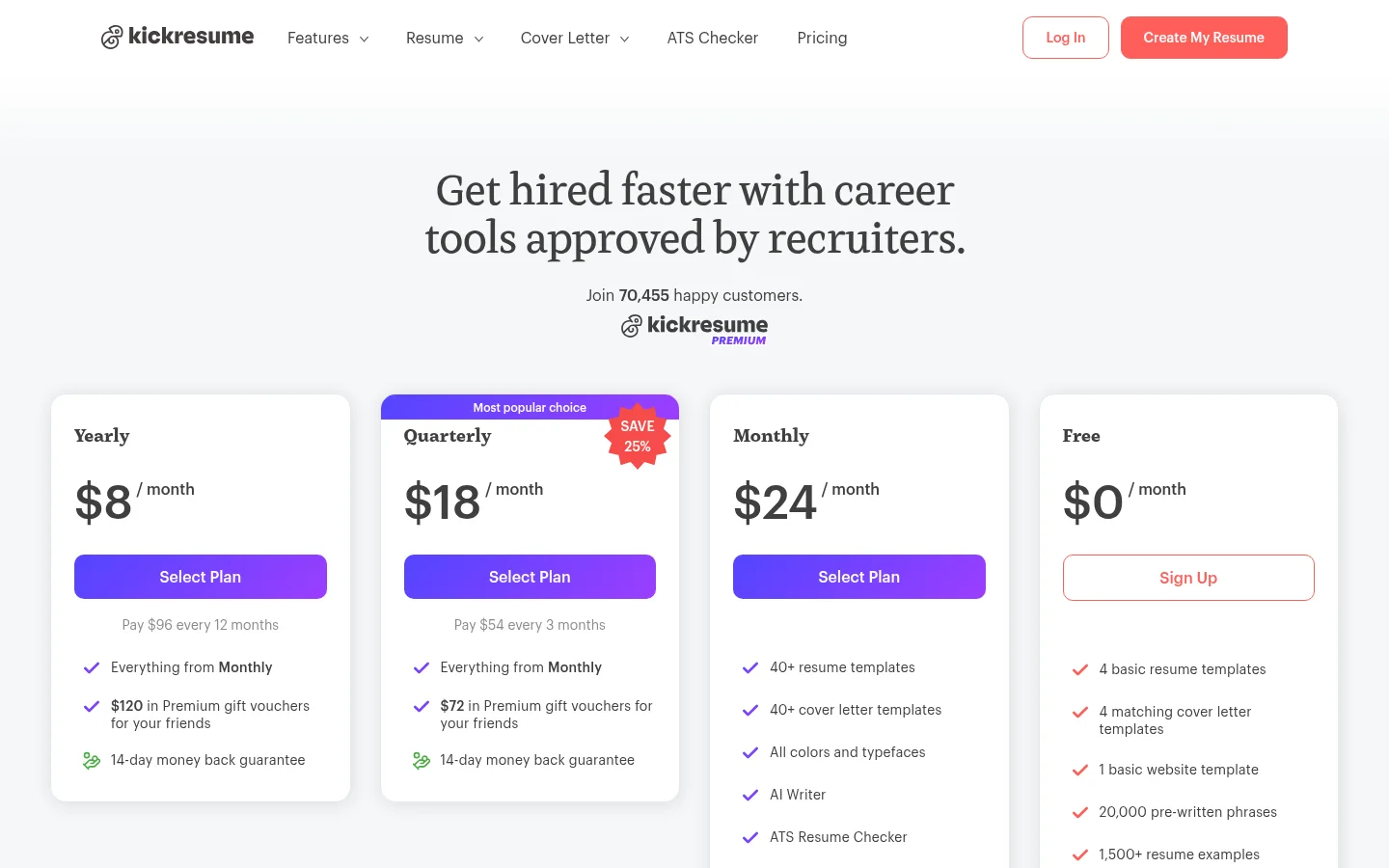
| Kickresume | Design-matched letter + résumé | Partially | Free (limited); $8-24/mo |
| Rezi | ATS-optimised keyword density | Yes | Free demo; Pro ~$29/mo |
| Enhancv | Creative and design-forward roles | Yes | Free tier; paid subscription |
| ChatGPT / Claude | Best personalisation, zero cost | Yes, if you paste it | Free tiers available |
Teal — best if you are applying to a lot of roles
Teal’s letter generator lives inside a full job-search workspace with a résumé builder, an application tracker and a contacts list. That matters more than letter quality when you have 30 applications in flight, because the letters stay attached to the roles. Output is solid and editable with tone and length controls, though it trends generic across very different postings unless you edit. The cover letter feature sits behind the paid plan. We cover the wider platform in our Teal AI resume builder guide.
Jobscan — best for beating the ATS
Jobscan’s core product is a match-rate score between your documents and the job description, and the letter generator inherits that engine. If you are applying to large employers running strict applicant tracking systems, the keyword alignment is the most valuable thing on this list. Free scans are limited; paid plans start around $20/month.
Kickresume — best for a letter that matches your résumé design
Kickresume generates a letter styled to match your résumé template, which produces a visually coherent application. It is also one of the few tools that names the AI model behind the feature. The trade-off shows in the writing: in published testing the output leaned vaguer and more hyperbolic than tools that read the posting closely. Free plan is limited. Premium is $24/month billed monthly, $18/month on the quarterly plan ($54 per quarter), or $8/month billed yearly ($96 per year), as of August 2026 — the billing period moves the price far more than the plan does.
Rezi — best for keyword-heavy applications
Rezi is built around a strong résumé engine with ATS scoring, and the letter generator pulls your experience and contact details in automatically. Keyword coverage is genuinely good. Two cautions: the writing can read keyword-stuffed for communication-heavy roles, and — this is the important one — tools in this class can generate metrics you never claimed. Read every number before you send. Pro is around $29/month.
ChatGPT or Claude — the free option that often wins
Paste the job description, paste your résumé, and ask for a 250-word letter in a specific tone. That prompt beats several paid tools on personalisation because you control exactly what context goes in. What you lose is the workspace: no tracking, no templates, no storage. For occasional applicants this is the right answer, and it costs nothing. See our ChatGPT vs Claude comparison for which handles professional writing better.
How to get a letter that doesn’t sound AI-generated
The draft is the easy part. These five edits are what turn it into something a hiring manager finishes reading.
- Rewrite the opening line yourself. AI openings are the most recognisable part of an AI letter — “I am writing to express my strong interest in” is a tell. Open with something specific to the company instead.
- Add one concrete detail the model could not know. A product you use, a change they announced, a person you spoke to. One sentence of genuine specificity outperforms three paragraphs of polish.
- Delete every superlative. “Passionate”, “dynamic”, “proven track record”. If it would fit in anyone’s letter, it belongs in nobody’s.
- Verify every number. If the draft says you “increased engagement by 40%”, either you did and can prove it, or you cut it. This is where AI letters cause real damage, because you will be asked about it in the interview.
- Cut it to 250 words. AI drafts run long. Three tight paragraphs read as confident; a full page reads as padding.
Do cover letters still matter in 2026?
They matter selectively. For high-volume corporate roles filtered by ATS, the résumé carries most of the weight and the letter is often unread. For smaller companies, competitive roles, career changes, and any job where writing is part of the work, the letter is frequently the deciding document — precisely because so many applicants now submit obvious AI filler.
The practical rule: if the application asks for one, send a good one. If it is optional and the company is small, send one anyway. If it is optional and you are applying to a 10,000-person employer through a portal, spend the time on résumé keyword alignment instead.
Watch the billing
Résumé and cover letter tools have a reputation for aggressive billing, and it is deserved. The recurring pattern is a low-cost short trial — a few dollars for seven days — that converts to a full-price monthly or quarterly subscription unless cancelled. People download their letter, close the tab and forget.
Two habits protect you: cancel immediately after you export your documents, and check whether the plan bills monthly or quarterly before entering card details. A “$19/month” plan charged as $48 per quarter is a different commitment. If you only need letters for one job hunt, that is a strong argument for using a free chatbot instead.
Bottom line
Use an AI cover letter generator to kill the blank page, never to produce the final text. If you are running a serious job search across many roles, Teal or Jobscan earn their subscription by keeping letters, résumés and applications together. If you are applying occasionally, ChatGPT or Claude with the job description pasted in will match or beat the paid tools for nothing. Either way, budget ten minutes per letter for the human edits — the opening line, one specific detail, and a hard check on every number.
Next: get the résumé right too, with our best AI resume builders roundup, or browse the AI productivity tools hub.
FAQ
What is the best AI cover letter generator? Teal and Jobscan are the strongest paid options because letters, résumés and applications live in one workspace and both read the job description. For occasional use, ChatGPT or Claude with the posting pasted in produces more personalised letters at no cost.
Is there a free AI cover letter generator? Yes. Most builders offer a limited free tier, and general chatbots like ChatGPT and Claude will write a tailored letter free if you supply your résumé and the job description.
Can employers tell if a cover letter was written by AI? Often, yes — not from detection software but from the writing. Generic openings, superlatives and absent company-specific detail are the giveaways. Rewriting the opening and adding one concrete detail removes most of the signal.
Will an AI cover letter get through an ATS? Applicant tracking systems screen for keyword relevance, not authorship. A letter that echoes the posting’s language passes; a generic one may not. Tools like Jobscan and Rezi optimise specifically for this.
How long should an AI-generated cover letter be? About 250 words, or three short paragraphs. AI drafts default to longer, so cutting is almost always an improvement.
Is it dishonest to use AI for a cover letter? No, as long as every claim is true. The line is fabricated experience or invented metrics — which some generators produce by default, so check every number before sending.