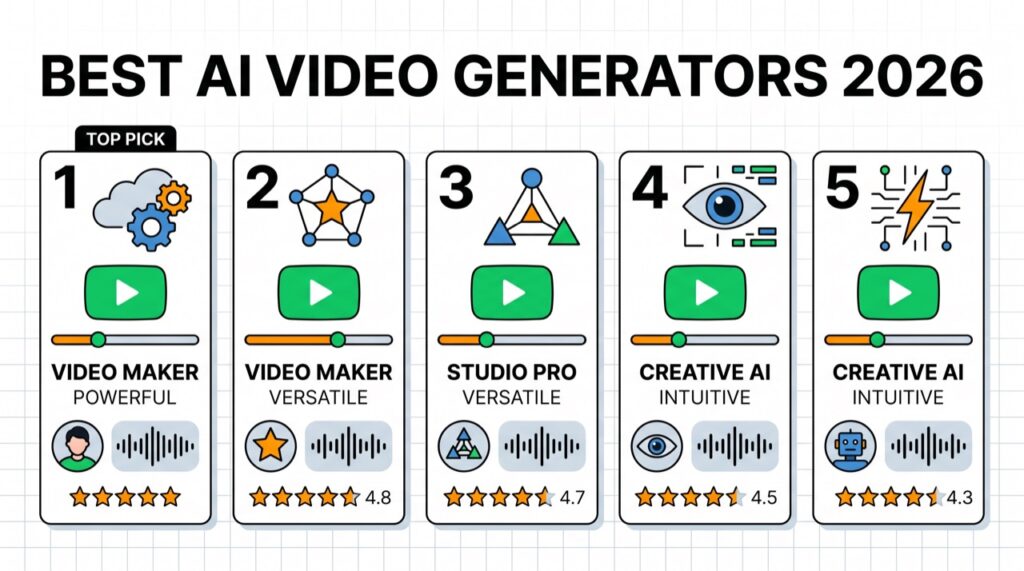
- Talking-avatar videos: Synthesia or HeyGen · Generative clips: Runway, Kling, or Sora.
- Editing by text: Descript · Social/faceless: InVideo or CapCut · Voiceovers: ElevenLabs.
- AI video is the highest-value affiliate category — pick by the exact kind of video you make.
“AI video generator” covers four very different jobs: creating talking-avatar videos from a script, generating cinematic clips from text, editing footage automatically, and producing voiceovers. Picking the right tool starts with knowing which of those you need. This guide ranks the 10 best AI video tools in 2026 by job, with real pricing, use cases, and how to choose.
In short: Synthesia and HeyGen own avatar videos, Runway, Kling, and Sora lead generative clips, Descript is the best editor, and ElevenLabs owns AI voice.
The best AI video generators compared
| Tool | Type | Best for | Price (approx.) |
|---|---|---|---|
| Synthesia | Avatar | Training & explainer videos | from ~$18/mo |
| HeyGen | Avatar | Marketing avatars + cloning | from ~$24/mo |
| Runway | Generative | Creative video clips | Free / from ~$12/mo |
| Kling | Generative | Realistic motion | Free / paid |
| Sora (OpenAI) | Generative | High-quality clips | With ChatGPT plans |
| Luma Dream Machine | Generative | Fast free clips | Free / paid |
| Descript | Editing | Editing video by text | Free / from ~$12/mo |
| InVideo AI | Faceless | Social & YouTube from a prompt | Free / from ~$20/mo |
| CapCut | Editing | Free social editing | Free / Pro |
| ElevenLabs | Voice | Voiceover & cloning | Free / from ~$5/mo |
1. Synthesia — best for avatar & training videos
Synthesia turns a script into a polished video of a realistic AI presenter, in 140+ languages, without a camera. It’s the standard for corporate training, explainers, and internal comms — reliable, professional, and easy for non-editors.
Best for: training, explainers, localized video at scale. Standout: huge avatar/language library. Price: from ~$18/mo. Visit Synthesia →
2. HeyGen — best for marketing avatars & cloning
HeyGen is the more marketing-focused avatar tool, with fast rendering, realistic voice, and the ability to clone your own face and voice for personalized video at scale. Popular with creators and sales teams.
Best for: personalized marketing, avatar cloning, ads. Standout: lifelike avatars + voice cloning. Price: from ~$24/mo. Visit HeyGen →
3. Runway — best generative video for creatives
Runway pioneered text-to-video and image-to-video for creators, with strong motion control, camera moves, and editing features. The go-to for filmmakers and artists making original clips.
Best for: creative and cinematic clips. Standout: control + creative toolset. Price: free tier; from ~$12/mo.
4. Kling — best for realistic motion
Kling produces some of the most realistic motion and physics in generative video, making it a favorite for lifelike short clips. Free tiers make it easy to test.
Best for: realistic generative clips. Standout: natural motion.
5. Sora (OpenAI) — best high-quality generative clips
Sora generates high-quality, coherent video from text and is available through ChatGPT plans. Excellent for polished short clips when you’re already in the OpenAI ecosystem.
Best for: quality generative video for ChatGPT users. Standout: coherence + quality.
6. Luma Dream Machine — best fast free clips
Luma offers fast, free-friendly text- and image-to-video generation — a great low-cost way to experiment with generative clips.
7. Descript — best for editing video by text
Descript lets you edit video and podcasts by editing a transcript — delete a word, delete the footage. Add AI features (filler-word removal, studio sound, eye contact, voice cloning) and it’s the most approachable serious editor for creators.
Best for: podcasters and creators editing talking-head content. Standout: text-based editing. Price: free tier; from ~$12/mo.
8. InVideo AI — best for faceless social & YouTube
InVideo AI builds a complete social or YouTube video — script, stock footage, voiceover, captions — from a single text prompt. The fastest path to faceless content at volume.
Best for: faceless YouTube and social videos. Standout: prompt-to-full-video.
9. CapCut — best free social editor
CapCut is the free editor most social creators already use, with AI captions, auto-cut, background removal, and effects. Hard to beat for quick vertical videos at zero cost.
Best for: free short-form editing. Standout: free + fast.
10. ElevenLabs — best AI voice for your videos
Not a video tool itself, but the best AI voiceover and cloning engine — pair it with any video tool for natural narration in dozens of languages. See more in the AI video & audio hub.
Best for: voiceovers and voice cloning. Price: free tier; from ~$5/mo.
Best AI video tool by use case
- Training / explainer videos: Synthesia.
- Personalized marketing avatars: HeyGen.
- Faceless YouTube / social: InVideo AI (+ ElevenLabs voice).
- Creative / cinematic clips: Runway, Kling, or Sora.
- Podcast & talking-head editing: Descript.
- Free short-form editing: CapCut.
- Voiceovers: ElevenLabs.
How to choose an AI video generator
- What kind of video? Avatar, generative clip, edited footage, or voiceover — this is the biggest decision.
- On camera or faceless? Faceless favors Synthesia/HeyGen/InVideo; on-camera favors Descript/CapCut.
- Budget? CapCut, Luma, and free tiers cost nothing; avatar tools run $18–$30+/mo.
- Volume & languages? Synthesia for scale and localization; InVideo for high-volume social.
Most creators combine two — for example, InVideo or Synthesia for the video plus ElevenLabs for the voice.
Tips for better AI video
- Write a tight script first — AI video is only as good as the words.
- Keep generative clips short (a few seconds) and stitch them for best coherence.
- Add captions — most social video is watched on mute.
- Use a real AI voice (ElevenLabs) rather than robotic defaults.
- Always review for artifacts and factual errors before publishing.
Bottom line
There’s no single best AI video generator — there’s a best one for the video you’re making. Synthesia/HeyGen for avatars, Runway/Kling/Sora for generative clips, Descript for editing, InVideo for faceless social, and ElevenLabs for voice. Start with free tiers and build a two-tool workflow. See individual reviews in the AI video hub.
FAQ
What is the best AI video generator? Synthesia and HeyGen for avatar videos; Runway, Kling, and Sora for generative clips. It depends on the type of video you need.
What’s the best free AI video generator? CapCut for editing, Luma and Runway’s free tier for generative clips, and Kling’s free plan are the strongest free options.
Can I make faceless videos with AI? Yes — InVideo AI builds full faceless videos from a prompt, and Synthesia/HeyGen create talking-avatar videos without you appearing on camera.
What’s the best AI tool for YouTube videos? InVideo AI for faceless content, Descript for editing talking-head videos, and CapCut for quick edits.
Which AI video tool is best for marketing? HeyGen for personalized avatar ads and Synthesia for scalable explainer videos.
Do AI video tools include voiceovers? Most do, but the quality varies — pair any tool with ElevenLabs for the most natural voice.
Are AI-generated videos good enough to publish? Avatar and edited videos are publish-ready; generative clips are improving fast but still benefit from careful selection and editing.
How much do AI video generators cost? Free tiers exist for many; avatar and premium generative tools typically run $12–$30+/mo depending on minutes and features.
🧰 More: AI Video hub · All AI Tools
